
The IPTV player for the service you already pay for. With your Jellyfin, Emby or Plex library in the same guide.
No channels included. Bring your provider and your own library, and watch on your phone, your tablet and your TV.
Crivid IPTV Player is made by Crivid AS for Android, Android TV, Google TV, Fire TV Stick, iPhone, iPad, Apple TV, Mac and Windows. It ships with no channels or content of its own.
 Android, Android TV, Google TV
 iPhone, iPad, Apple TV, Mac
 Windows 10 and 11
Free to download. Every Pro feature free for 7 days, no card needed. Then keep Pro for one payment of $17.99, shown in your own currency, or stay on the free version.
Questions first? Ask us on Discord.
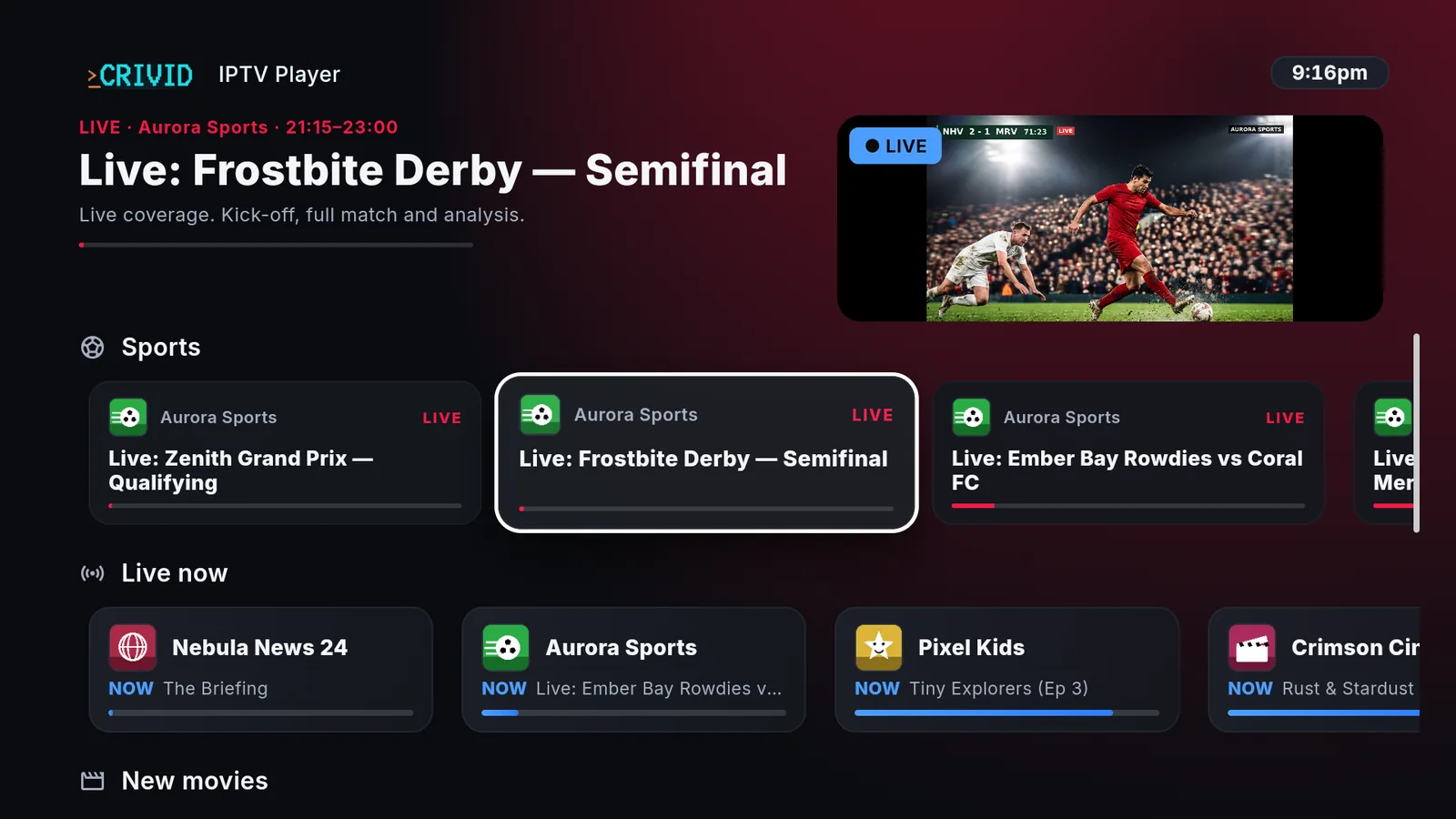
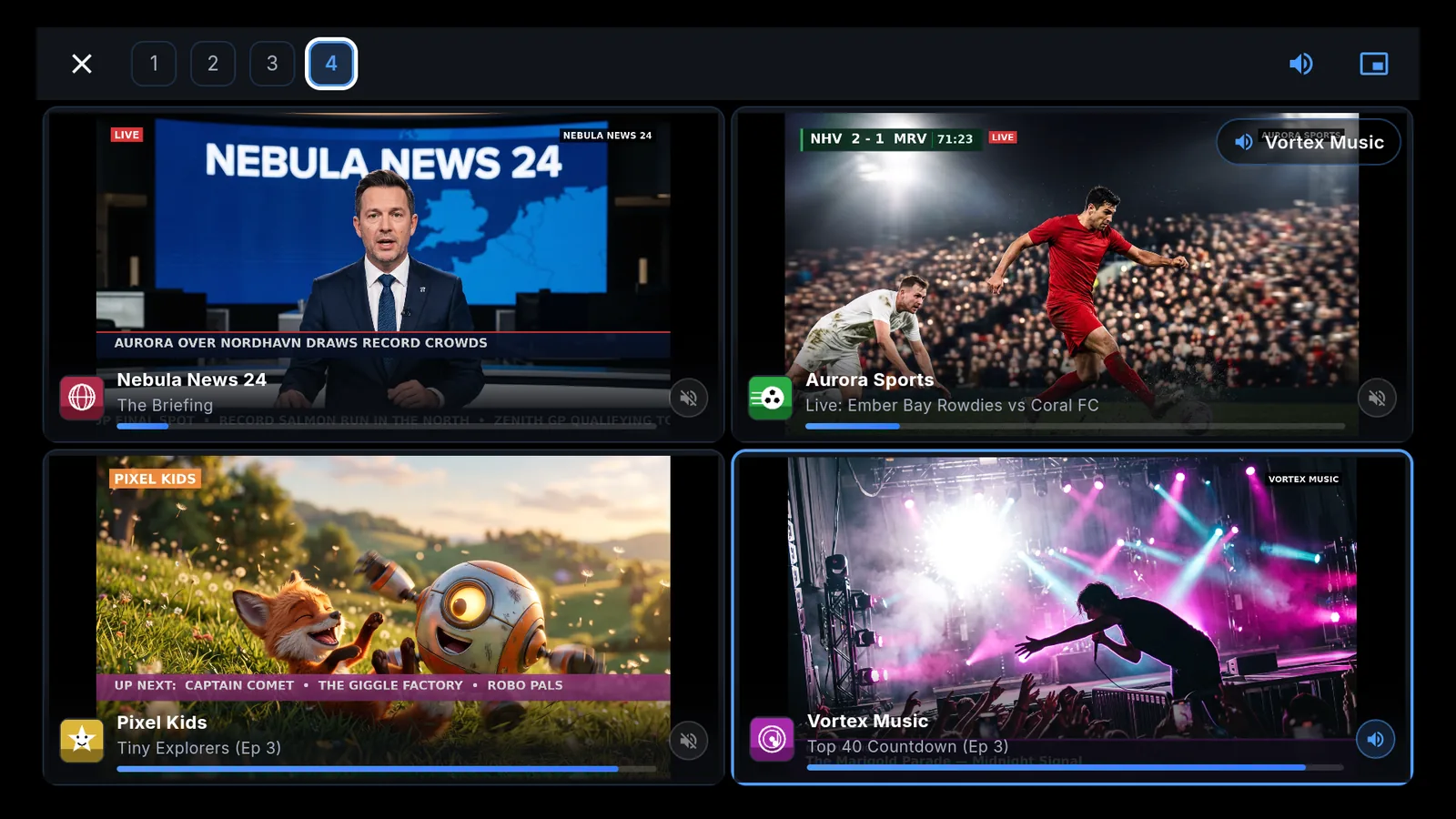
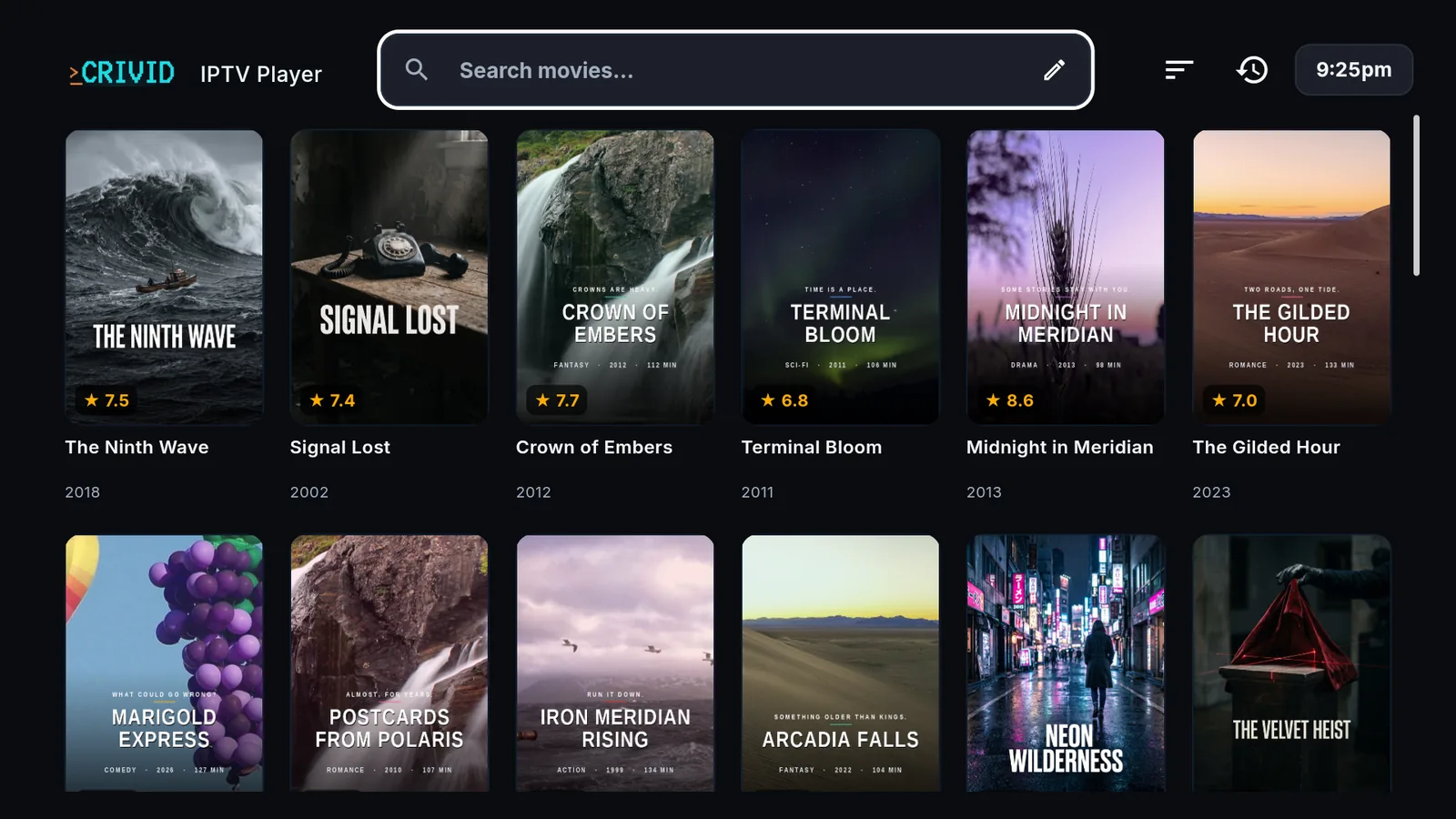

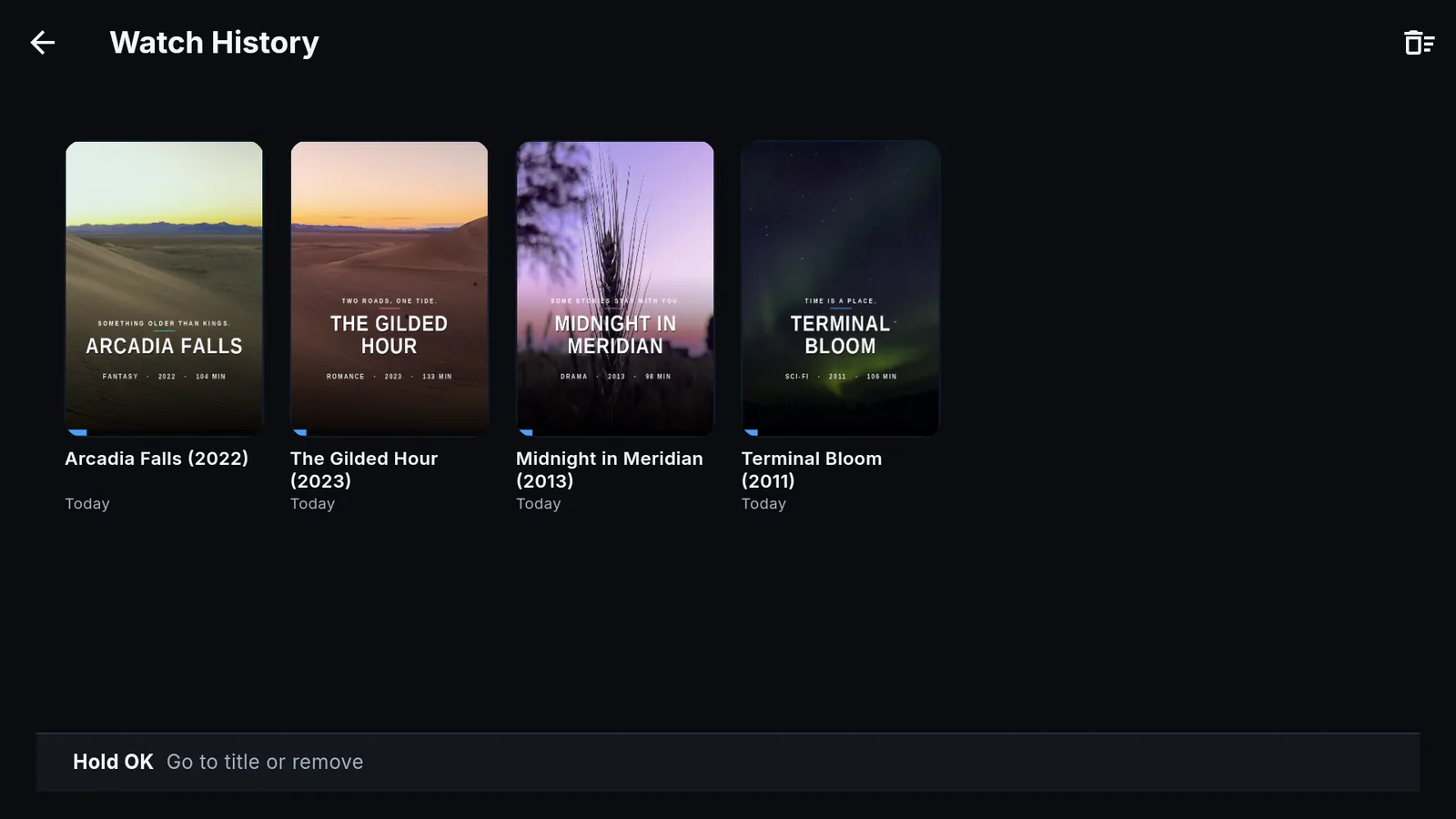
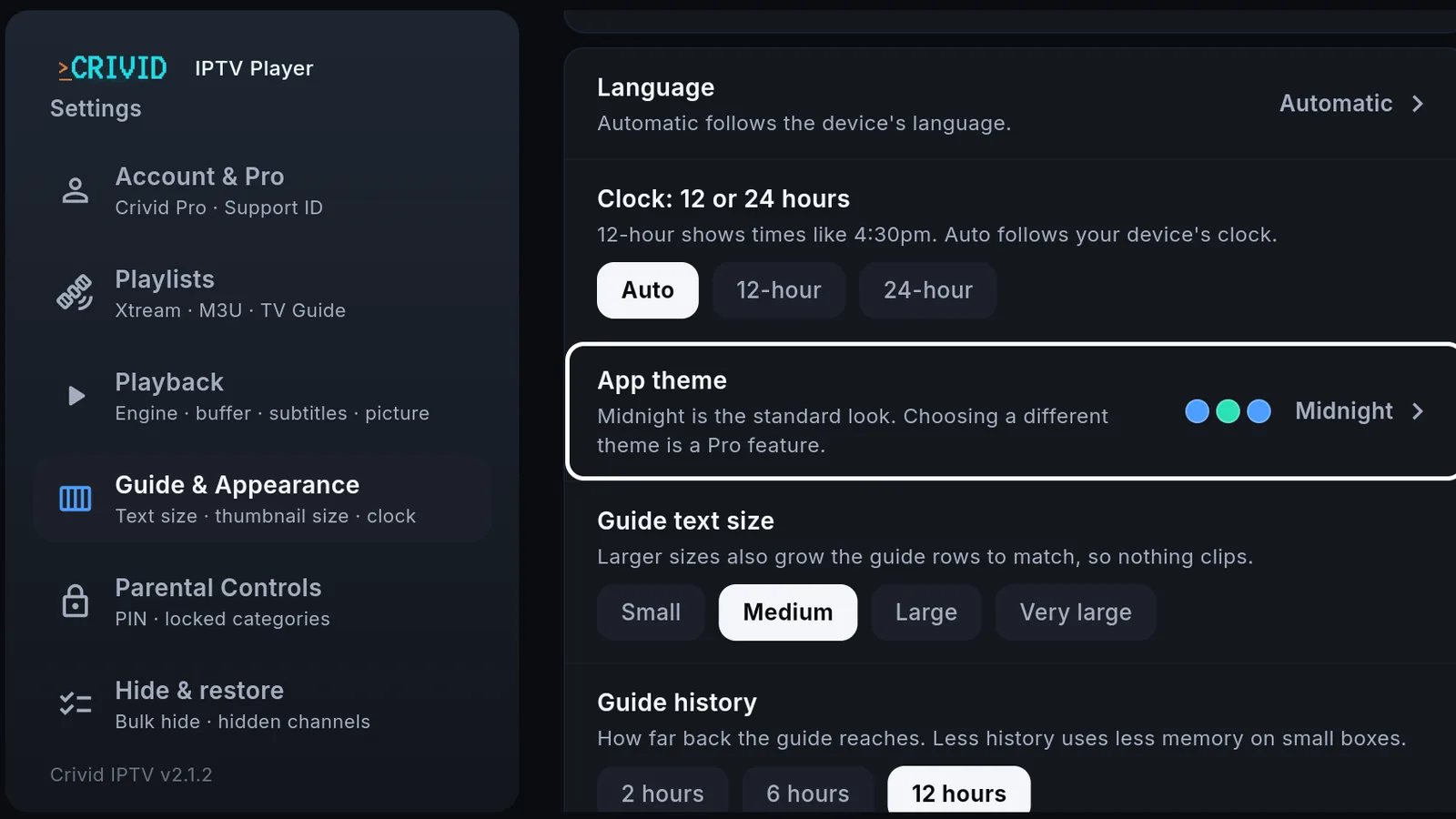
Home opens on what is live right now, sport first. With Pro, the channel is already playing up top.
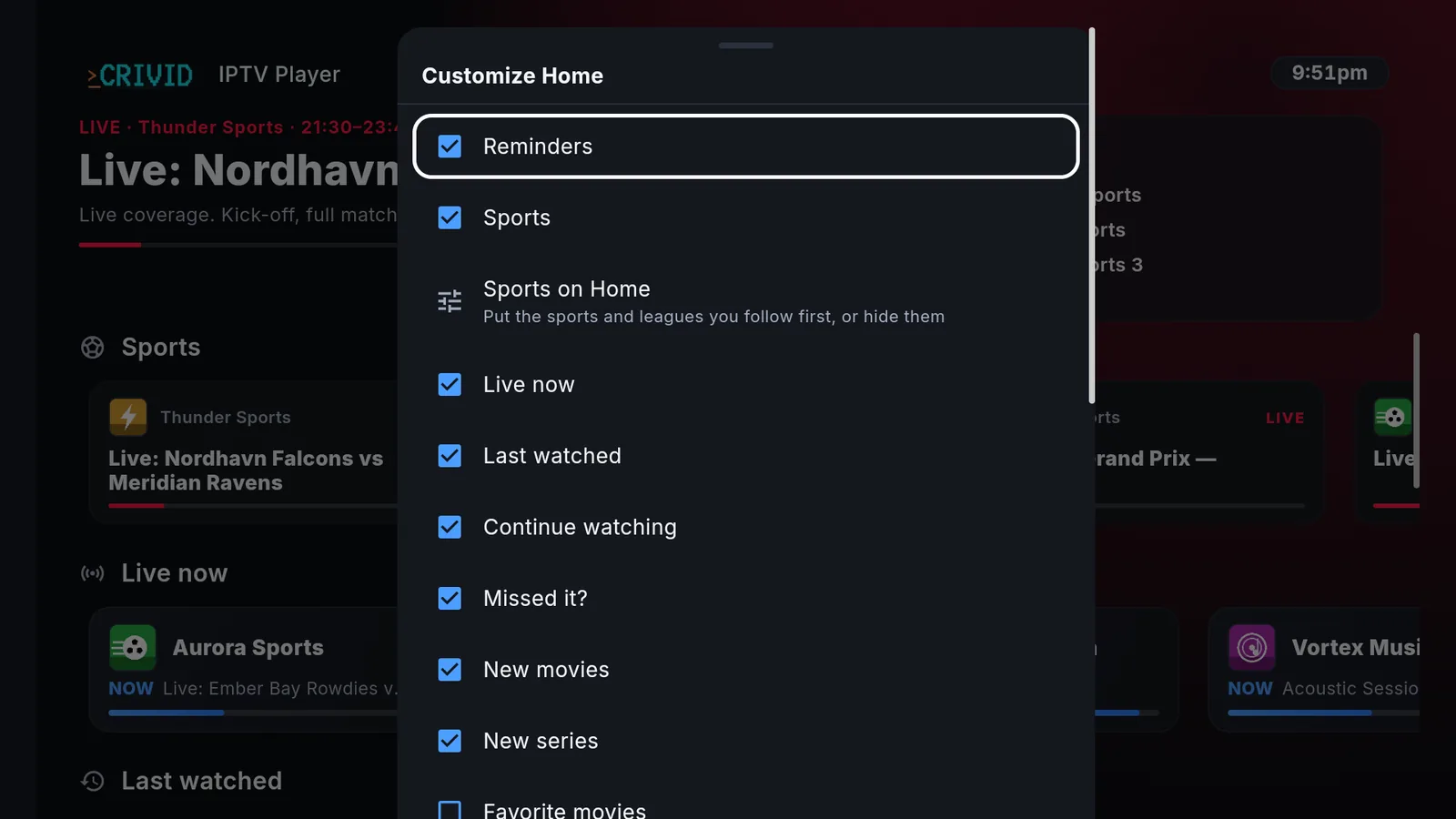
Make Home yours. Pick the rows, and put the sports and leagues you follow first.
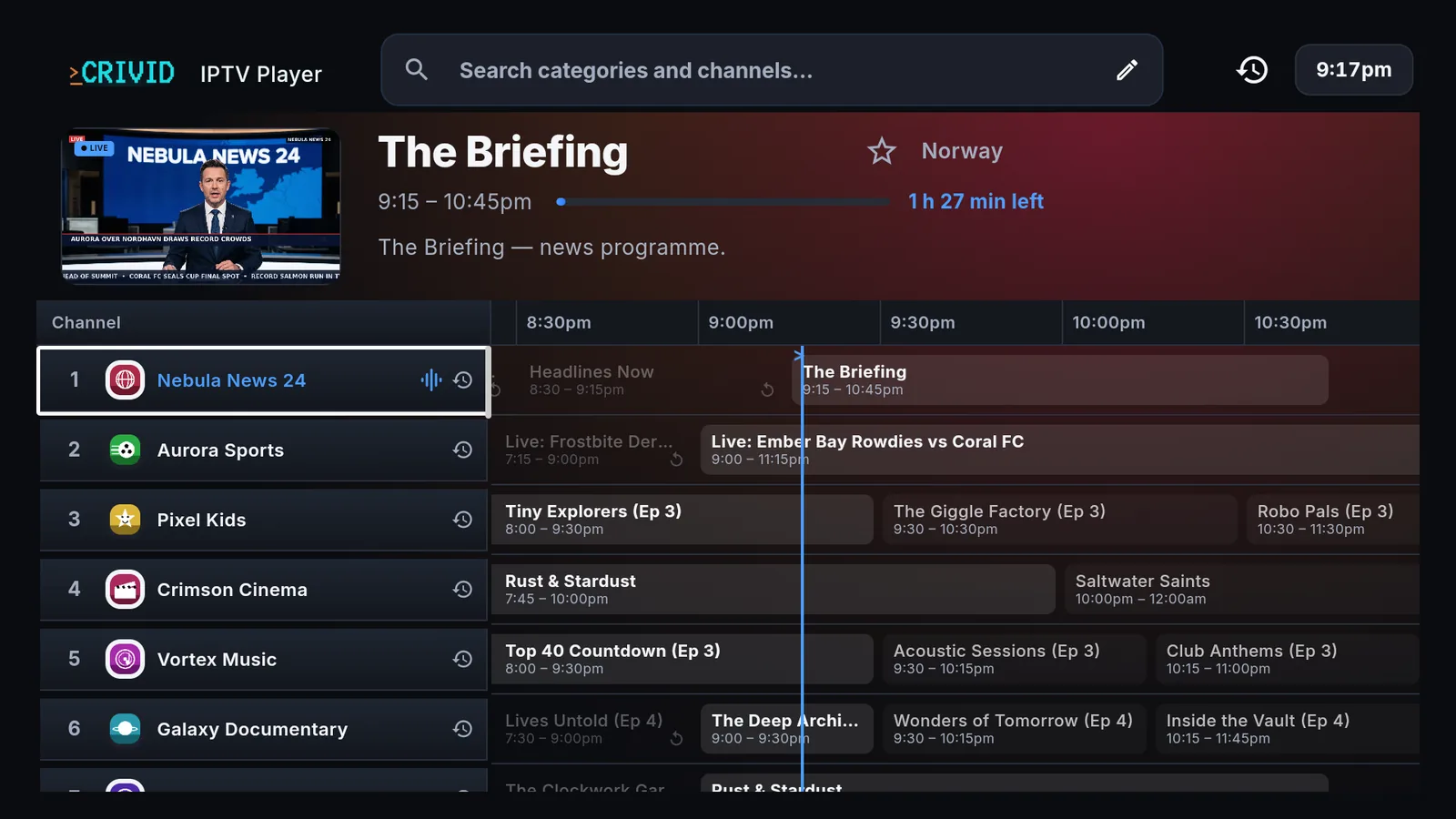
A guide built to be read. Now and next on every channel, with the live line marking where you are.
Four streams, one screen. Multi-View runs four live channels at once.
Your movie library on the big screen, sorted by genre.
Live TV full screen, with the channel and what is coming up next.
Watch history. Everything you watched, ready to pick up again.
Themes, clock format and guide text size, so the app reads the way you want it.
Screenshots are illustrative. Channels and titles shown are examples and are not provided by Crivid.
1,924 people used Crivid in the last 28 days. See what is shipping next.
Already have a player? Here is what Crivid does differently.
- One purchase.
- Pay once and it stays yours. No second subscription on top of the one you pay your provider.
- No account.
- Your provider login and your sources stay on your device. We never receive them.
- One guide.
- IPTV, Jellyfin, Emby, Plex and a network tuner, together, with Pro.
- Set it up on your phone.
- It is the same app on every screen.
If the player you have does everything you need, keep it. Crivid is for everyone else.
Three steps. No account.
Add your source
Paste an M3U link or enter your Xtream login. That is the whole setup. No email, no password to invent.
The guide builds itself
Channels, logos and two days of listings appear. Add a media server or a tuner and those land in the same guide.
Watch
Phone, tablet, TV. Same app and same layout, whichever screen you pick up.
Your films and series, in the same guide.PRO
Connect Jellyfin, Emby or Plex and your films and series sit beside your channels, with the same interface and the same remote. Add an HDHomeRun and its channels join the guide with everything else. Play a file off a USB stick and it lands in the same library.
Not four apps. One.
Libraries, films and series, tuners and local files are part of Pro. Live TV from one source is free.
Parental controls
PIN-locked groups and hidden channels, enforced everywhere in the app.
Catch-upPRO
Replay past broadcasts where your provider supports it.
Multiple playlistsPRO
Combine several sources into one guide, or keep them apart.
Picture-in-picturePRO
Keep watching in a corner while you do something else.
ThemesPRO
Midnight is free. The others change the whole app, guide included.
Multi-ViewPRO
Four streams on screen at once, with the sound on whichever one matters.
One purchase. Not a subscription.
- Free to download. Seven days of Pro included, with no card details and nothing to cancel.
- After that, Pro is a single payment and it stays yours.
- That is the US price. The store shows yours in your own currency, in Norway kr 219.
- No monthly fee, and no account to keep alive.
- Uninstall it, reinstall it in two years. It is still yours.
Your login never leaves your device.
Crivid has no accounts. No sign-up, no email, no password to invent. Your playlist, your Xtream login and your media server details are stored on your device and are never sent to us.
There is nothing for us to encrypt or lose. We never receive it.
The app counts anonymous usage so we know which features are worth building, and checks your purchase with the store. Neither of those includes your sources. Privacy policy.
Questions
What do I need to use Crivid?
A source you already have: an M3U playlist or an Xtream login from your provider, a media server such as Jellyfin, Emby or Plex, an HDHomeRun tuner, or video files on the device. Crivid plays what you bring.
Does Crivid include any channels?
No. Crivid is a player and nothing else. It does not include, host, provide or resell any channels, films or streams. You add your own source and you are responsible for holding the rights or subscription to access it.
Is Pro a subscription?
No. Pro is a one-time purchase. Seven days are included free with no card details, and after that a single payment unlocks it for good.
Do I need an account?
No. There is no sign-up, no email and no password. Everything lives on your device.
Can I use more than one playlist?
Yes, with Pro. Combine several sources into one guide, or keep them apart. Hiding and organising are remembered per playlist.
My guide will not load. What now?
Some providers send a very large guide. Make sure the app is up to date, since recent versions handle much larger guides. If yours stays empty, check the guide link your provider gave you, or ask us on Discord and we will look at it with you. There is more in Help.
Which devices does it run on?
Android phones and tablets, Android TV and Google TV from Google Play. iPhone, iPad, Apple TV and Mac from the App Store. Fire TV Stick installs straight from this website, see the Fire TV Stick guide. Windows 10 and 11 PCs from the Microsoft Store.
Can I cast to my TV?
Not with Chromecast, and AirPlay carries sound only for now. Install Crivid on the TV itself instead: it is the same app on every screen. See what is planned and not planned.
Does Crivid sell channels or IPTV subscriptions?
Never. Crivid AS makes the player and nothing else. Anyone offering Crivid IPTV with channels or a subscription is not us.